




Electricians Quotes, work orders, billable hours
Less paperwork. More billable hours.
Quotes priced from your book and approved on the phone, work orders with the panel photo and the permit, and hours logged from the punch clock. Electrician software for the shop that would rather be wiring.
14-day free trial. No credit card required.
- 2,500+ service businesses
- Set up in under 15 minutes
- Works on every phone
65%
Faster payment collection
15+
Hours back every week
2,500+
Service businesses on Plannit
Built for electrical contractors
Where the non-billable hours go, and where they stop
Five things the shop does by hand today that Plannit does on its own.
Work orders that carry the whole job
The quote, the permit number, the photo of the panel from the estimate, the materials list and the customer's notes, on the electrician's phone before the doorbell. Hours log from the punch clock; the invoice builds itself from the record.
Timesheets that write themselves
The mobile punch clock and GPS record hours per job site. Payroll and job costing come from the record.
Quotes approved on the phone
Priced from your book, approved with one tap, deposit collected.
Invoiced at the door
Built from the work order, paid by card or link before the van leaves.
A service call
From the request to the billable hour
The request lands with a status
Phone, web or text, it's in one inbox. Quote it from your price book in a few taps.
The work order goes to the phone
Address, panel photo, permit, materials, notes. The electrician arrives knowing the job.
Done, logged, invoiced
Hours from the punch clock, photos on the record, invoice paid at the door.
- Instant notifications so nothing is missed
- Schedules on employees' phones
- Payment reminders sent automatically
(514) 555-0151Mobile
james.obrien@example.comPersonal
6120 rue Sherbrooke O, Montréal QC H4B 1L8Main
No custom field on this work order.
Work order created from quote 0031Sep 29
On site
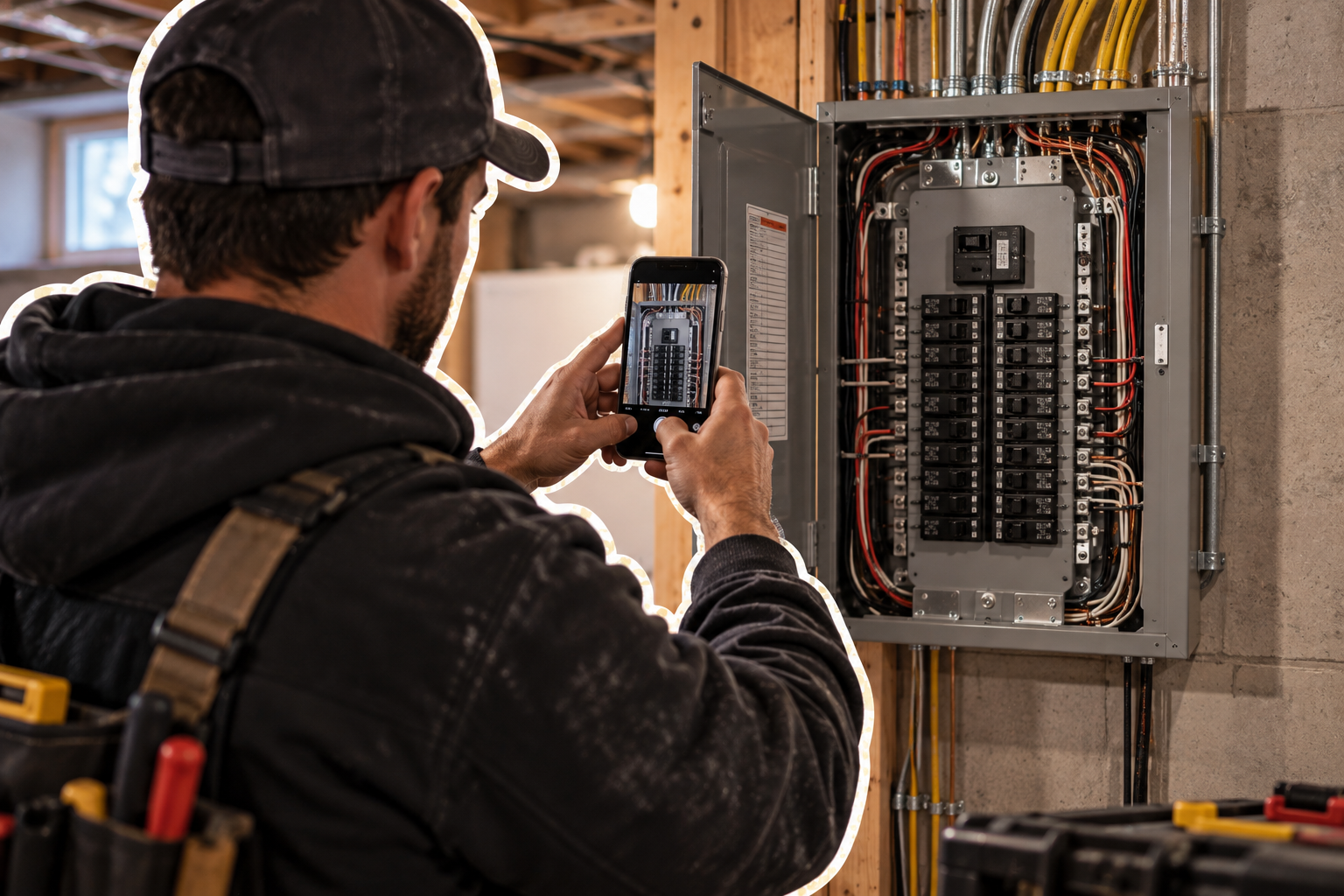
The panel photo from the estimate is on the phone at the install
Everything the estimate learned travels to the work order: photos, measurements, permit, materials. The apprentice sees what the estimator saw.
- Photos and notes from the estimate on the work order
- Permit and inspection details on the record
- Customer signature captured on site
Friday afternoon
What closing the week looks like
- Collect paper timesheets from three trucks
- Match hours to jobs from memory
- Retype the week's invoices
- Call about the two that didn't pay
- Hours already on each job, from the app
- Matched to the job the moment they were logged
- Invoices went out at the door
- Reminders scheduled. Weekend starts.
Customers
What electrical contractors switch for
The features they name first.
“Saving time on management tasks. Professionalism in our communications with clients. Dispatching employees to jobs. Easy, efficient invoicing and payments.”
Faster estimatesPriced from your book, approved online
Templates for the common jobs, options for the upgrades, one-tap approval and a deposit.
Work orders with the detailsPanel photo, permit, materials
Customize the work order for how your crew executes. Everything from the estimate rides along.
Hours that log themselvesPunch clock and GPS
Per job, per electrician. No timesheet to collect, no dispute to settle.
Invoiced in the fieldCard, tap-to-pay or link
Built from the work order, paid before the van leaves. Reminders handle the rest.
Plans
Which plan does an electrical contractor need?
Small crews run on Pro. Premium adds routes, GPS, contract renewals and accounting sync.
Pro · $49/mo
3 users. Recurring contracts, dispatch, reminders, quotes, invoicing and online payments.
Premium · $109/mo
Everything in Pro, 5 users. Renewals in a batch, routes and GPS, QuickBooks sync, custom fields.
Create your account
Set up before your next job
Enter your email to create the account. A real person helps you get started.
- 14-day free trial
- No credit card required
Questions
Before you switch
Can I put the permit and photos on the work order?
Yes. Work orders carry photos, documents, materials and notes from the estimate, visible on the electrician's phone.
How are hours tracked?
The mobile punch clock and GPS log hours per job site and per electrician. Timesheets and job costing come from that record.
Can customers approve quotes online?
Yes. Quotes are approved with one tap from the customer's phone, with a deposit if you require one.
Does Plannit sync with QuickBooks?
Yes, on the Premium plan. Invoices, payments and customers sync both ways.